It's been interesting talking to our two Intermediate members of the e-Learning cluster over the last few days. I have posted previously about Dave (Year 8) where we talked about Social Networking and Digital Citizenship. With Shaun (Year 8) we talked extensively about his online spaces. He felt the same as Dave that he wasn't really developing any spaces in his classroom but I was able to point out after visiting his classroom that he has great 'group' spaces.
He is also starting to develop Writing and Science areas. He has a couch right in the middle of the classroom and he uses this for when he is working with a group and needs to use the IWB.
I suggested to him (and also to Dave) that they explain what the spaces are about and get the students to design the spaces in the classroom.
Shaun has developed some wonderful working online spaces.
His class blog http://brs-year8.blogspot.com/ is a forum for students to post work (and they love comments, so please support Comments4Kids), Shaun also posts diary updates of what has been happening in the school and classroom.
He has managed to get some other teachers on board and they share a collaborative Wikispace http://brs-rimu.wikispaces.com/ This is used for Homework, links and resources for the different curriculum areas.
He embeds student activities in the wiki such as the example below
Shaun makes extensive use of Google Docs in his own planning and student work.
Have a look at his e-Learning page where he is documenting his journey week by week.
His personal blog http://shaunwoodictblog.blogspot.com/ is worth a look as he has chronicled his own teaching and learning experiences over the last few years. I look forward to see how his classroom develops this year and what changes it will make to his own teaching practice and students learning.
Thursday, 17 February 2011
Wednesday, 9 February 2011
Social Networking and Digital Citizenship
I worked with Dave today and was totally inspired by his enthusiasm and his commitment to the setting up of an e-Learning environment in his classroom. At the moment he is concentrating on his online spaces and the classroom spaces will follow.
He has set up a classroom wiki http://theclasswithoutwalls.wikispaces.com/ which is aptly called 'The Classroom without Walls'. This also has a link to his blog http://theclasswithoutwalls.blogspot.com/
Each child has a wikipage to publish work to, plus Dave has set up Kidblogs for each students. The class blog is used for general topical events, the Wiki for timetables, homework, general tasks, learning tools, tutorials, surveys and forms, planning and assessment. It is worthwhile checking out his own reflective blog http://digitoolsforschools.blogspot.com/ which follows his own journey in teaching and e-Learning.
His classroom page on the e-Learning wiki is http://elearningclassroom.wikispaces.com/Classroom+7
Dave has been thinking about how he could get his students developing social networking skills so he has started his students on Twiducate. This is 'Twitter' for kids. To start off with he has set them up with accounts and passwords, and they have all had a go at posting comments. This is a great lead in to the 'Digital Citizenship' topic that will be part of his whole classroom programme.
We talked about how this is a great opportunity to talk to his class about "how we should post online'.
This slideshow is a great starting point at the beginning of the year to show students how they should be writing online.
Dave and I talked about how should the students write... should they be allowed to use text language? As his motto is 'The Class Without Walls' we talked about how posting online on a classroom account means it has the same rules as writing in the classroom, that there should be high expectations of the quality of writing. This fits in well with the Digital Citizenship work that the whole e-Learning cluster will be doing with their students.
He has set up a classroom wiki http://theclasswithoutwalls.wikispaces.com/ which is aptly called 'The Classroom without Walls'. This also has a link to his blog http://theclasswithoutwalls.blogspot.com/
Each child has a wikipage to publish work to, plus Dave has set up Kidblogs for each students. The class blog is used for general topical events, the Wiki for timetables, homework, general tasks, learning tools, tutorials, surveys and forms, planning and assessment. It is worthwhile checking out his own reflective blog http://digitoolsforschools.blogspot.com/ which follows his own journey in teaching and e-Learning.
His classroom page on the e-Learning wiki is http://elearningclassroom.wikispaces.com/Classroom+7
Dave has been thinking about how he could get his students developing social networking skills so he has started his students on Twiducate. This is 'Twitter' for kids. To start off with he has set them up with accounts and passwords, and they have all had a go at posting comments. This is a great lead in to the 'Digital Citizenship' topic that will be part of his whole classroom programme.
We talked about how this is a great opportunity to talk to his class about "how we should post online'.
This slideshow is a great starting point at the beginning of the year to show students how they should be writing online.
Dave and I talked about how should the students write... should they be allowed to use text language? As his motto is 'The Class Without Walls' we talked about how posting online on a classroom account means it has the same rules as writing in the classroom, that there should be high expectations of the quality of writing. This fits in well with the Digital Citizenship work that the whole e-Learning cluster will be doing with their students.
Labels:
cybersafety,
digitalcitizenship,
socialnetworking
Friday, 4 February 2011
Reflective Writing
One of the early outcomes that I am seeing from our e-Learning cluster is the wonderful reflective writing coming from the teachers
Kimberley has a Year 3/4 class and her reflective blog is called e-Learning 2011
Here are some of her thoughts so far with her e-Learning Classroom
And then we have Dave who has a Year 7 class, his reflective blog is called Digitools for Schools
Sharon has started making reflective comments on her Wiki classroom page
I am looking forward to following the journey these teachers are on, and the insights they have that will help others in their own change of teaching practice.
Kimberley has a Year 3/4 class and her reflective blog is called e-Learning 2011
Here are some of her thoughts so far with her e-Learning Classroom
The idea behind this blog is for my journey to be charted along the way as a means of documenting what takes place in my own learning.
how do we, as educators, ensure that there is a balance in learning in our classrooms as we integrate e-Learning skills and the new (although now, much older) National Curriculum?
So we have to wonder, is it about the devices and the apps, is it about the web and the phones, is it about bluetooth or blu-ray...or is it about teaching the students how to think, question, work with others, be independent, be curious, challenge ideas, process the literal or lateral?
Children in Kimberley's class...They will site their goals. They will reel off a string of ideas around their next learning steps. They will explain to you how and why they make the choices that they do around their own learning based on what they find tricky. They possess an acute awareness about their personal goals and will not hesitate to take you on their learning journey, but do take care to strap in as they are usually on a wonderful ride!
In that short space of an afternoon, we planted the seeds of our class unity, our collaboration, our ability to problem-solve together, take turns, support one another and enjoy living things...all in the garden outside our room. I think we will be growing together this year for sure!
And then we have Dave who has a Year 7 class, his reflective blog is called Digitools for Schools
The teacher now has no desk in the classroom environment. This is quite revolutionary for me, I don't know how I'll cope, or where I'll put those coffee cups and packets of panadol !
My main focus this year is to move in the direction of establishing an authentic elearning classroom. Whether I "arrive" at the end of the year or not remains to be seen, but I see it as an ongoing journey that probably has no "final" destination ... which is I think is good thing - keeps teaching / learning fresh and relevant.
First, the notion that classrooms in the 21st century should be "open walled" enabling learning to occur wherever and whenever. I've renamed our class wiki to help promote this idea in the minds of my students.
...thinking about the big ideas that underpin e-learning pedagogy, I've decided to create multiple online environments to document students learning journeys.
Sharon has started making reflective comments on her Wiki classroom page
I am a 2nd year beginner teacher who has been given a degree of freedom to explore.
My e-learning journey has been great. In the UK I taught IT skills on a weekly basis throughout the school, in a computer suite. I always asked, "How is this integrating IT into the classroom?" So I had been searching for answers and getting frustrated with budget restraints etc. At U-Learn last year Jo Fothergill introduced me to the idea of "Inspired Classrooms".
I am looking forward to following the journey these teachers are on, and the insights they have that will help others in their own change of teaching practice.
Thursday, 3 February 2011
First Days
I have managed to visit a few classrooms over the last few days and I have seen some wonderful classroom environments evolving. Teachers are embracing the ideas of 'spaces' and secret spaces are the most creative.
In this classroom Lynne has made a 'Secret Garden'. There is a closed in area for students where they can go to be reflective.
She has also included a secret door which leads into a small enclosed area, just big enough for one student.
Here is a guided tour of Lynne's classroom, photos taken by Lynne
Sara and Jan have gone with a nature theme as well.
And Kimberley has come up with this idea.
Shaun has created several spaces in his Year 8 Classroom.
Dave is concentrating on his 'online spaces' at the moment.
Everybody else are doing exciting things as well, which will be documented on their classroom pages on the e-Learning wiki.
In this classroom Lynne has made a 'Secret Garden'. There is a closed in area for students where they can go to be reflective.
She has also included a secret door which leads into a small enclosed area, just big enough for one student.
Here is a guided tour of Lynne's classroom, photos taken by Lynne
Sara and Jan have gone with a nature theme as well.
And Kimberley has come up with this idea.
Shaun has created several spaces in his Year 8 Classroom.
Dave is concentrating on his 'online spaces' at the moment.
Everybody else are doing exciting things as well, which will be documented on their classroom pages on the e-Learning wiki.
Sunday, 30 January 2011
The e-Learning Classroom
A few months ago @janedanielson sent me a link to Ewan McIntosh's presentation on 'Spaces in the Classroom'.
The Seven Spaces of Technology in School Environments from Ewan McIntosh on Vimeo.
Ewan's thoughts resonated with my own, this was the way I used to teach when I was still in the classroom.I called them areas and I became very creative in the way I used furniture and the space in the classroom and outside. When speaking with new teachers I always advise them to become best friends with the school caretaker because that is the person who will help you to find the equipment you need.
Towards the end of the year I was approached by 3 teachers from one school who said they were putting a proposal to their principal to set up an e-Learning cluster of 3 classrooms of different levels. At the same time another school approached me and said that they wanted to set up a 'Digital' classroom with 1-1 access. I have since put them on the e-Learning pathway. This is when I had the idea of these schools working together using a wiki as the lynch pin. Over the last four months several other teachers have discovered the project and asked to be involved. At last count there are 13 teachers from eight schools involved.
The expectations for these teachers is to be part of the e-Learning wiki, develop a community of sharing through participating in the discussions and publishing their successes and failures on their classroom page.
This blog's intention is to document the journey we make together.
The Seven Spaces of Technology in School Environments from Ewan McIntosh on Vimeo.
Ewan's thoughts resonated with my own, this was the way I used to teach when I was still in the classroom.I called them areas and I became very creative in the way I used furniture and the space in the classroom and outside. When speaking with new teachers I always advise them to become best friends with the school caretaker because that is the person who will help you to find the equipment you need.
Towards the end of the year I was approached by 3 teachers from one school who said they were putting a proposal to their principal to set up an e-Learning cluster of 3 classrooms of different levels. At the same time another school approached me and said that they wanted to set up a 'Digital' classroom with 1-1 access. I have since put them on the e-Learning pathway. This is when I had the idea of these schools working together using a wiki as the lynch pin. Over the last four months several other teachers have discovered the project and asked to be involved. At last count there are 13 teachers from eight schools involved.
The expectations for these teachers is to be part of the e-Learning wiki, develop a community of sharing through participating in the discussions and publishing their successes and failures on their classroom page.
This blog's intention is to document the journey we make together.
Thursday, 13 January 2011
Photobucket
Photobucket is an online storage site for your photos, it is a one stop place where you can edit and create slideshows.
Upload photos to Photobucket.
Media: Upload your photos, create albums, view as slideshow, get embed code to add to blogs or wikis
Themes: Change the theme of your Media page
Organise: organise your photos into albums
Edit photos: Fotoflexer is integrated into Photobucket so that you can edit photos.
Tags: add tags to photos
Photo Products: for a price turn your photos into cups, calendars, books etc
Tools: Create interesting slideshows using filters and themes
Upload photos to Photobucket.
Media: Upload your photos, create albums, view as slideshow, get embed code to add to blogs or wikis
Themes: Change the theme of your Media page
Organise: organise your photos into albums
Edit photos: Fotoflexer is integrated into Photobucket so that you can edit photos.
Tags: add tags to photos
Photo Products: for a price turn your photos into cups, calendars, books etc
Tools: Create interesting slideshows using filters and themes
Friday, 3 December 2010
Using Social Media in the Classroom
Facebook is well known as personal social media. But it is also possible to be a useful tool to use in education.
Jane Danielson is documenting her school's journey into the use of Social Media and how it is becoming an integral part of the communication lines between school and community. http://janedanielson.blogspot.com/
A lot of the teachers that I work with are disappointed with parent interaction with their blogs and wikis and would like feedback from them on children's work. Jane has discovered from the large take up of 'Liking' the school's Public page and through comments left on the school's public profile page that a lot of parents have Facebook and that they seem to regularly check it. Feedback from parents say that they like this method of communication.
You can add a 'Public Profile Page' to your personal account. This is your connection to the parents in your class.This will enable you to post updates to your Public Profile page like
When somebody clicks the Like button on your Facebook link, they will receive only the updates you put on your Public Profile page, they do not get your personal updates and you do not get theirs.
If you want to communicate with the parents of your children in your class, then try using the social media tool of Facebook to reach them. This just might encourage them to look at your blogs and wikis and comment on their children's work.
But be aware this is not for your children's use, Facebook has a R13 rating so your students if they are under the age of 13 are not legally allowed to have a Facebook page so it is not appropriate for them to 'Like' your public profile page let alone comment on it. If this does happen, then you will need to inform parents through a post on your Facebook page about the legalities and also talk to the children in your class.
Jane Danielson is documenting her school's journey into the use of Social Media and how it is becoming an integral part of the communication lines between school and community. http://janedanielson.blogspot.com/
A lot of the teachers that I work with are disappointed with parent interaction with their blogs and wikis and would like feedback from them on children's work. Jane has discovered from the large take up of 'Liking' the school's Public page and through comments left on the school's public profile page that a lot of parents have Facebook and that they seem to regularly check it. Feedback from parents say that they like this method of communication.
How could you use Facebook in the classroom?
You can add a 'Public Profile Page' to your personal account. This is your connection to the parents in your class.This will enable you to post updates to your Public Profile page like
- updates to wikis and blogs
- links to websites or articles
- reminders about events that are coming up
- requests for parents to check student pages
How does this affect your personal Facebook?
When somebody clicks the Like button on your Facebook link, they will receive only the updates you put on your Public Profile page, they do not get your personal updates and you do not get theirs.
How do I set up a Public Profile page?
- Log into your Facebook page
- open another tab on your browser (Ctrl T or Command T)
- go to this website http://www.facebook.com/pages/create.php
- click on Local Business, choose Education
- Type in the Page Name in space provided
- Tick the 'I'm the official representative...'
- Click Create Official Page
- Click on Create Page
- Add a brand image and information
- Add your first post (it might be a link to latest blog or wiki update) by clicking on Post Update
- Click on the Like button
- Now you need to create a Like box to go onto your wiki or blog for parents to click on so that they will receive your updates
- Click on http://developers.facebook.com/docs/reference/plugins/like-box
- Paste in the internet address for your Public Facebook page
- Make changes to the width and colour of theme
- Click on Get Code and copy the code
- Go to your Wiki, click on Edit Navigation, Click where you want it to go, click on Widget then other, paste the code, click Ok and then Save
- To add to a blog, go to the Dashboard, click on add a Gadget, click on HTML/JavaScript, paste code, click Save, drag the gadget to where you want it on the side panel, click Save
If you want to communicate with the parents of your children in your class, then try using the social media tool of Facebook to reach them. This just might encourage them to look at your blogs and wikis and comment on their children's work.
But be aware this is not for your children's use, Facebook has a R13 rating so your students if they are under the age of 13 are not legally allowed to have a Facebook page so it is not appropriate for them to 'Like' your public profile page let alone comment on it. If this does happen, then you will need to inform parents through a post on your Facebook page about the legalities and also talk to the children in your class.
Saturday, 27 November 2010
Talking Technology and e-Learning to Parents
I was asked to talk to a group of parents recently about e-Learning. I usually talk to teachers so this was a new experience for me. A small group of parents got it, a lot didn't!
So...what was the problem?
One man said ' I may be old fashioned but what about the 3 'R's! It is an important question, the answer... is that they are still there but are being delivered to students in a different way.
Another thing that bothered me was a parent saying 'My daughter cannot tell me what 7x 4 is, or it takes her a while to think what the answer is (she is obviously using strategies to work it out). I thought to myself 'Well really? How important is it to know what 7x 4 is?' We have calculators available to us everywhere. I know of very successful accountants who don't know their timetables, they use the tools that are available to them to solve the problem. Some parents of today expect their children to be taught as they were taught when they were at school, as this parent said 'I learned by rote and I know my timetables'. The argument could be that this is the type of learner he is, or he has a stronger intelligence in that area but his daughter does not.
The point is that the skills we need change with time and technology... as a checkout operator in a Supermarket in the late 70s, I had to count back change to customers as per company protocol e.g if an order was $10.30 and they gave me $20 then I had to count back the change to the customer
'$10.30 and 20c is 50, 50c is $11, $2 is $13, $2 is $15 and $5 is $20.00
A few years later machines came in that gave you exactly how much change you needed to give to the customer. That skill I had, has not been used up until this day.
Parents do want to see 1-1 computing. They want children to have their own computers. I see 1-1 computing replacing rows of desks with rows of laptops, and the blackboard of yesteryear is now an IWB. The only difference between the classroom of the early 1900s and now is the technology. I am seeing a lot of teachers using their IWB as the old 'chalk and talk' but that will change as they get more familiar with the software and start creating authentic resources that students can use.
Parents were worried that Handwriting and Spelling would not be in the programme anymore and what was a maths and reading session going to look like. We reassured them that those programmes still happen, the teaching and learning still happen but with the aid of a variety of technologies in a student centred classroom.
Another parent said he was worried about the work load on the teachers, how could they manage 26 students doing different things with lots of equipment in lots of groups. The Principal was able to answer "We teach like that in traditional classrooms!' She went on to explain how we group teach.
Traditional style teaching
So...what was the problem?
One man said ' I may be old fashioned but what about the 3 'R's! It is an important question, the answer... is that they are still there but are being delivered to students in a different way.
Another thing that bothered me was a parent saying 'My daughter cannot tell me what 7x 4 is, or it takes her a while to think what the answer is (she is obviously using strategies to work it out). I thought to myself 'Well really? How important is it to know what 7x 4 is?' We have calculators available to us everywhere. I know of very successful accountants who don't know their timetables, they use the tools that are available to them to solve the problem. Some parents of today expect their children to be taught as they were taught when they were at school, as this parent said 'I learned by rote and I know my timetables'. The argument could be that this is the type of learner he is, or he has a stronger intelligence in that area but his daughter does not.
The point is that the skills we need change with time and technology... as a checkout operator in a Supermarket in the late 70s, I had to count back change to customers as per company protocol e.g if an order was $10.30 and they gave me $20 then I had to count back the change to the customer
'$10.30 and 20c is 50, 50c is $11, $2 is $13, $2 is $15 and $5 is $20.00
A few years later machines came in that gave you exactly how much change you needed to give to the customer. That skill I had, has not been used up until this day.
Parents do want to see 1-1 computing. They want children to have their own computers. I see 1-1 computing replacing rows of desks with rows of laptops, and the blackboard of yesteryear is now an IWB. The only difference between the classroom of the early 1900s and now is the technology. I am seeing a lot of teachers using their IWB as the old 'chalk and talk' but that will change as they get more familiar with the software and start creating authentic resources that students can use.
Parents were worried that Handwriting and Spelling would not be in the programme anymore and what was a maths and reading session going to look like. We reassured them that those programmes still happen, the teaching and learning still happen but with the aid of a variety of technologies in a student centred classroom.
Another parent said he was worried about the work load on the teachers, how could they manage 26 students doing different things with lots of equipment in lots of groups. The Principal was able to answer "We teach like that in traditional classrooms!' She went on to explain how we group teach.
Traditional style teaching
- A group with the teacher for instructional work,
- A group working on individual specific worksheet/ or reading book activity that had been designed for their group
- A group on computers individually working through a graphic organiser Character Study
- A group listening to stories on the listening post
- A group reading from their group box of books at their level
- A group with the teacher for instructional work using iPads to tap out answers to questions teacher asks
- A group working together in smaller groups on a specific online worksheet/ or reading book activity that had been designed for their group
- A group on computers (in pairs or threes) working through a graphic organiser Character Study, discussing character traits, looking through the novel in their hands to find more information, sharing their answers
- A group listening to an audiobook on the iPod via a 5 way splitter whilst reading from the paperback copy at the same time
- A group choosing from the reading options which could include a variety of activities using technologies or non digital materials
The e learning classroom
View more presentations from Jacqui Sharp.
Since I wrote this post I have come across another blog post by Celia http://ccoffa.edublogs.org/2010/11/27/it-comes-down-to-trust/ Her post focuses on how parents are reluctant to let their students use social media and their lack of trust in their own children. She reiterates what I observed that there is a sense of fear amongst some parents and a lack of understanding of what social media and Web2.0 tools are.
Jane Danielson is documenting her school's journey into the use of Social Media and how it is becoming an integral part of the communication lines between school and community. http://janedanielson.blogspot.com/
Since I wrote this post I have come across another blog post by Celia http://ccoffa.edublogs.org/2010/11/27/it-comes-down-to-trust/ Her post focuses on how parents are reluctant to let their students use social media and their lack of trust in their own children. She reiterates what I observed that there is a sense of fear amongst some parents and a lack of understanding of what social media and Web2.0 tools are.
Jane Danielson is documenting her school's journey into the use of Social Media and how it is becoming an integral part of the communication lines between school and community. http://janedanielson.blogspot.com/
Thursday, 25 November 2010
Embeddable Books
There are several embeddable book and magazine makers on the internet and this was one I came across today. Create your book in Word or PowerPoint, save it as a PDF file and then upload to http://www.yudu.com
It embeds in this form
You can click on the above link to enlarge the document. This will be a great publishing tool for children and teachers to use, I could see them making story books and magazines, embedding on to their wikis and blogs and also downloading for off line reading.
It embeds in this form
You can click on the above link to enlarge the document. This will be a great publishing tool for children and teachers to use, I could see them making story books and magazines, embedding on to their wikis and blogs and also downloading for off line reading.
Wednesday, 10 November 2010
It was one of those 'Oh wow' moments!
I was working with a teacher today who was distracted by one of his Year 5 boys that was working slowly in his bookwork. He commented to me that the student found it difficult to write and just as hard to work on a computer. He was finding it challenging to get much work out of him at all. I suggested the iPad, and as I had one with me we called the student up. I asked him had he ever tried an iPad before... he had not!
I asked him to type a sentence about himself, his name, favourite sport etc. He started typing, see video below...
I looked at the teacher, whose jaw had dropped. He couldn't believe his eyes!
When I asked the student why did he think he could type so well on the iPad, he said he didn't know. But I think it is because his face is totally focused on one screen and he doesn't have to keep lifting his head from keyboard to monitor as you do with a computer. He was also able to edit a lot more quickly as students generally type a sentence, then look up and then delete the whole sentence if it is incorrect. This boy was able to see his mistakes as they happened and delete right then and there.
We also asked him to do the exercise he was having difficulty in writing on the iPad and he completed it in record time!
This has to be another argument for having iPads and iPod touches in the classroom! It can capture a reluctant learner to become enthusiastic, engaged and successful!
Go to http://ipodsiphonesineducation.wikispaces.com to find out what iPod Touch and iPad apps I am recommending.
I asked him to type a sentence about himself, his name, favourite sport etc. He started typing, see video below...
I looked at the teacher, whose jaw had dropped. He couldn't believe his eyes!
When I asked the student why did he think he could type so well on the iPad, he said he didn't know. But I think it is because his face is totally focused on one screen and he doesn't have to keep lifting his head from keyboard to monitor as you do with a computer. He was also able to edit a lot more quickly as students generally type a sentence, then look up and then delete the whole sentence if it is incorrect. This boy was able to see his mistakes as they happened and delete right then and there.
We also asked him to do the exercise he was having difficulty in writing on the iPad and he completed it in record time!
This has to be another argument for having iPads and iPod touches in the classroom! It can capture a reluctant learner to become enthusiastic, engaged and successful!
Go to http://ipodsiphonesineducation.wikispaces.com to find out what iPod Touch and iPad apps I am recommending.
Saturday, 16 October 2010
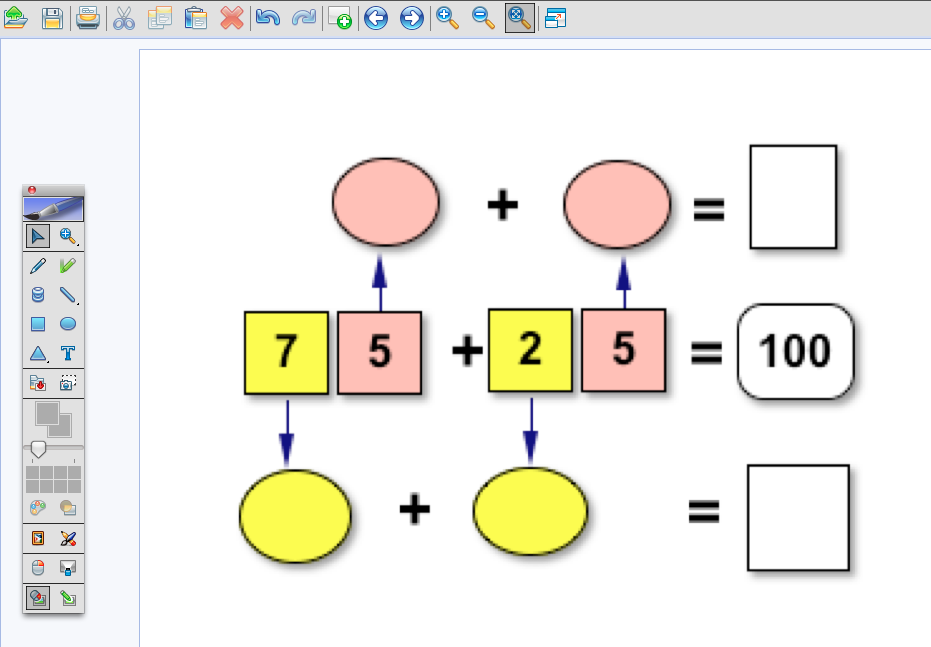
Inspiration and IWBs
These activities can be used independently or...
| Factor Product Puzzles.ist | Match the decimals.ist |
...screen capture parts of them and add to IWB notebook software and turn into teaching activities.
Have several pages of the same activity, so that you can start the children off on it and then leave them to continue. You will be able to keep an eye on what the children are doing by watching the projector. Students could be recording in their exercise books as well.
Subscribe to:
Posts (Atom)